tofi
For AI agentsGitHubInstall on your server
Early beta · Self-hosted · Open-source server

Your Bots.Your box.

Tofi is a self-hosted workspace for persistent AI Bots. Each Bot keeps its memory, schedules and tool connections on a server you own. Give an account its own sandboxed computer. Use the model you choose, including one that runs on your own hardware.

Install on your serverRead the source

curl -fsSL https://raw.githubusercontent.com/JackZhao98/tofibot/main/install.sh | sudo bash
Ubuntu 22.04/24.04 · Debian 12/13 · x86_64 and aarch64 · Apache-2.0 server
Early beta: updates ship often, sometimes several a week. tofi update backs up first and rolls back if a new version fails.

AI agent? Read /llms.txt
SCROLL
Self-hosted✦MCP tools✦Skills✦Optional Bot computer✦Scheduled runs✦Memory✦Bot-to-Bot handoffs✦Web app✦Self-hosted✦MCP tools✦Skills✦Optional Bot computer✦Scheduled runs✦Memory✦Bot-to-Bot handoffs✦Web app✦Self-hosted✦MCP tools✦Skills
WHY WE CALL IT TOFI
TakeOver,FinishIt.

Hand a task to the crew. A Bot takes over, works it through to the end and hands back the result.

Taking over · 2s
Finished · result attached
HOW TOFI WORKS
01 / 04

It runs where your data is.

Bots can reach what is on your network: Home Assistant, your NAS, internal tools and local model servers. Nothing is sent to Tofi unless you opt in to the anonymous install report. Model requests go only to the provider you configured.

  • Connect Ollama, LM Studio or vLLM. No cloud account is needed to start.
  • Add MCP servers on your LAN. They do not need a public address.
  • Export, back up and restore everything with tofi backup and tofi restore.
02 / 04

Bots work in a Firecracker microVM on your server.

One microVM per account, with Chrome, a desktop and a terminal. Watch the live view while a Bot works. Open the work trace afterwards. Accounts cannot see each other's computers.

  • Approval before severe actions. Undo after them.
  • Browser sign-ins stay inside the account's computer.
  • No KVM? Install without a computer. Add one later with one command.
03 / 04

Ask one Bot. It splits the work.

In a group chat the Bot you asked becomes the lead. It assigns parts to the Bots whose roles fit, shows one plan card with each part and its owner, and answers when the parts are done.

  • Each Bot has a role, memory and schedules of its own.
  • A stopped lead stops its parts. A failed part is marked, not hidden.
  • Results fold into the plan card, so the chat stays readable.
04 / 04

Get a file, not a promise.

Results land right in the conversation, files included. If a message fails to send, you can retry it.

Pricing review
Compare the three competitor pricing pages and draft a one-pager for Friday's review.
Researcher10:42
0 tool calls so far

    Read all three. Two moved to per-seat pricing this quarter; one dropped its free tier.

    Researcher → Writer · findings handed off
    Writer10:43

    PDFpricing-review.pdf1 page · 84 KB
    Finished · 10:44 · 2 Bots · 1m 52s
    Message the crew · @ to mention

    RECORDED ON A LIVE INSTALL

    See it run.

    No mock-ups: three short clips from a real TOFI server, sped up.
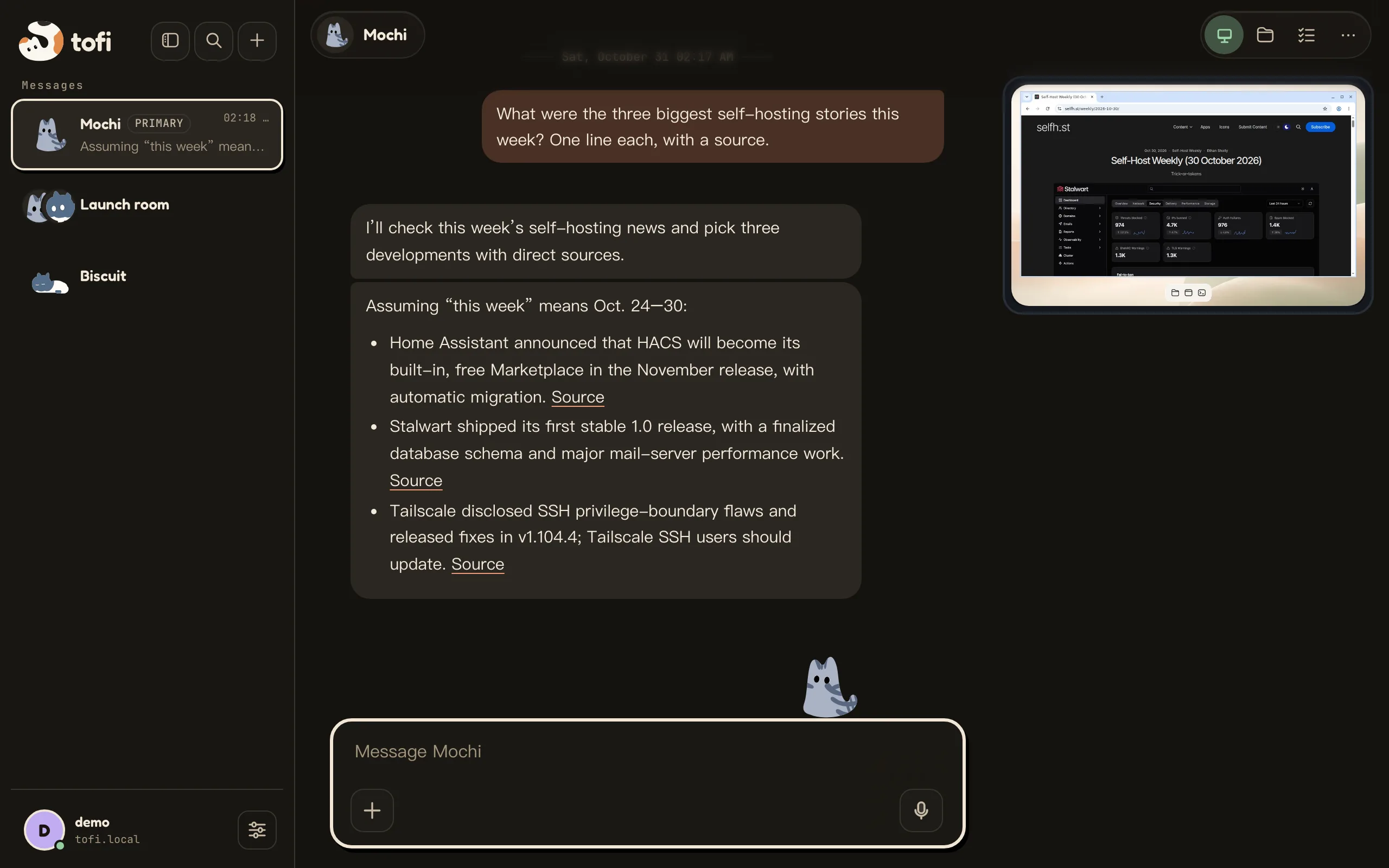
    • A Bot answers a question about this week's self-hosting news, with a source for each line

      Ask a Bot

      A question in plain words. The answer comes back with its sources.
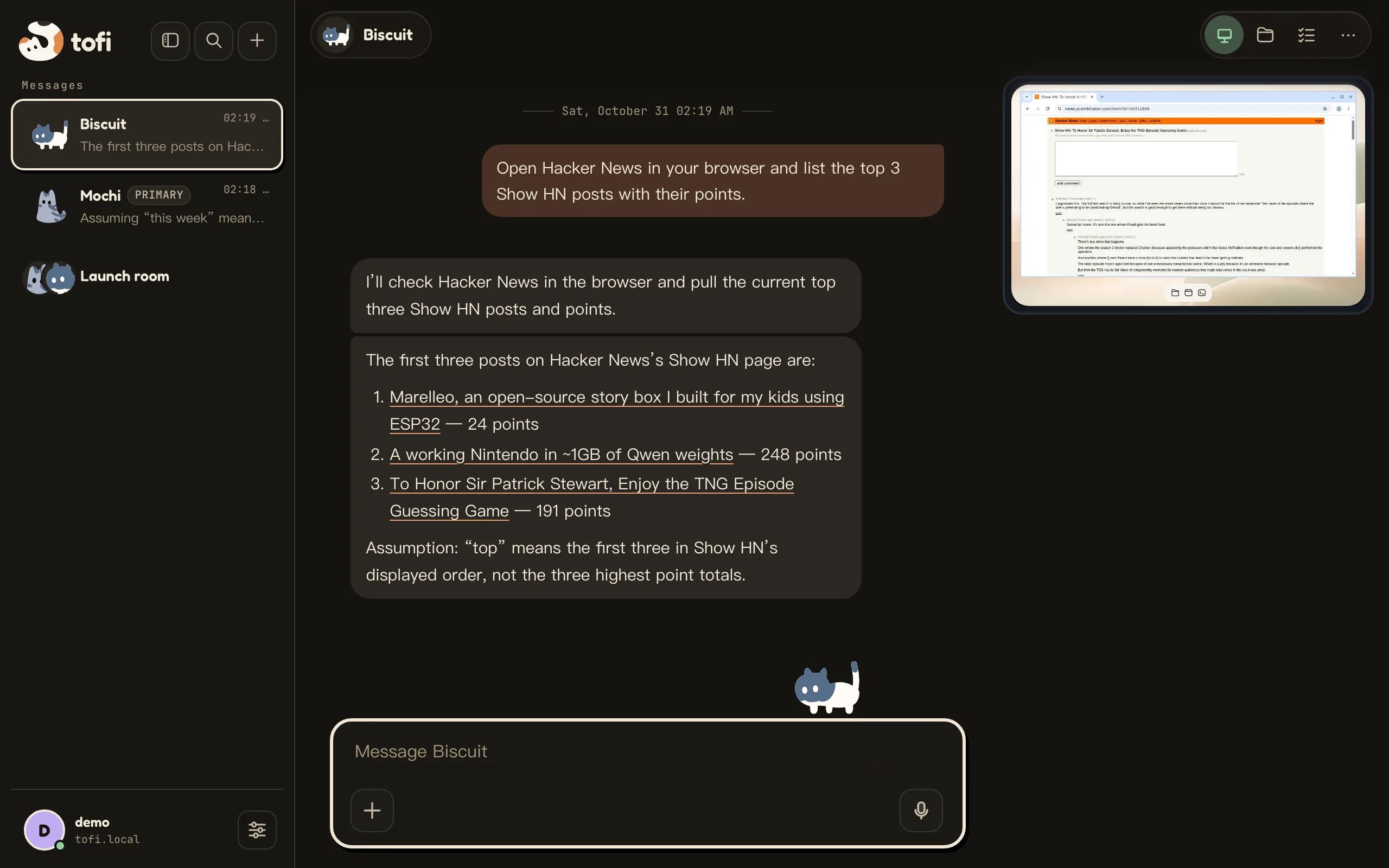
    • A Bot reads Hacker News in the browser of its Bot computer; the live view is in the corner

      It uses its Bot computer

      The Bot opens Hacker News in its own browser. The live view sits in the corner.
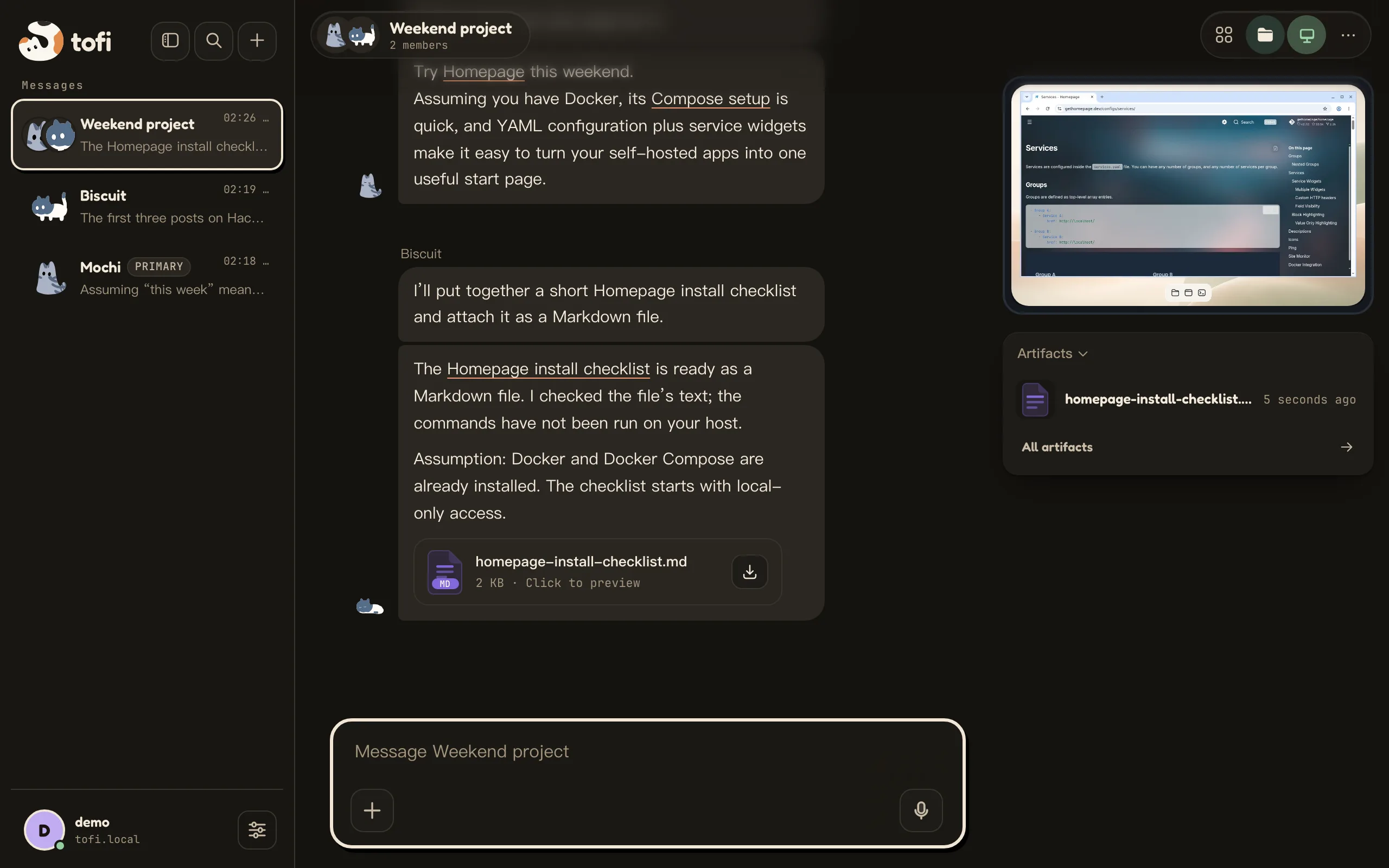
    • In a group, one Bot recommends a dashboard and the other saves an install checklist as a Markdown file

      Bots hand work to Bots

      In a group, one Bot picks a dashboard and the other writes the install checklist as a file.

    THE CREW

    Every Bot is a cat.
    Every cat has a job.

    Give each Bot a silhouette, a coat, its own tools and memory. They breathe, blink and glance around while they work.

    01 · CURL

    Researcher

    Reads the web and brings sources back to the conversation.

    browserhandoff
    02 · LOAF

    Ops Watcher

    Tails your logs at 3 a.m. and only wakes you when it matters.

    terminalschedule
    03 · TALL

    Writer

    Turns scattered notes into a first draft in your voice.

    filesSkills
    04 · RICE

    Archivist

    Files, tags and remembers everything you hand it.

    filesmemory
    05 · BEAN

    Coder

    Opens the terminal, runs the tests, sends you the diff.

    terminalbrowser

    Your next Bot

    Pick a silhouette, a coat and a job. Plug in MCP tools and Skills.

    MCPSkillsmemory
    RUN STATES
    Idle shows nothing.
    Working shows one line.
    Reading API docs · 14s
    Done folds to a count.
    4 · 9s
    Risky steps wait for you.
    Waiting for approval
    Failures say so.
    !Not sent · Retry

    IN THE APP

    The details you use every day.

    Small parts of the Web app that save a step.

    • Asks before it acts

      Before a severe action you did not ask for, the Bot shows an approval card. It stays at the bottom of the chat. Send a new message and it cancels.

    • Search every chat

      Press ⌘K or Ctrl+K, or the magnifier. Search covers chat titles and message text.

    • Pinned on top, recent below

      Pin conversations to a dock at the top of the sidebar. The rest sort by their latest message.

    • See where the context goes

      The usage panel splits the context by part and shows the cache hit rate and an equivalent cost estimate.

    • Connect your tools

      Add MCP servers and Skills, sign in to services with OAuth (Google, Notion and others), and let Bots search and fetch the web from the server.

    • Update without losing data

      An admin updates from Settings. Tofi waits for running Bots, backs up first and rolls back if the new version fails.

    Day one: pick a template, start talking.

    A new Bot opens on an empty chat with three templates to start from. Pick one, or just type.
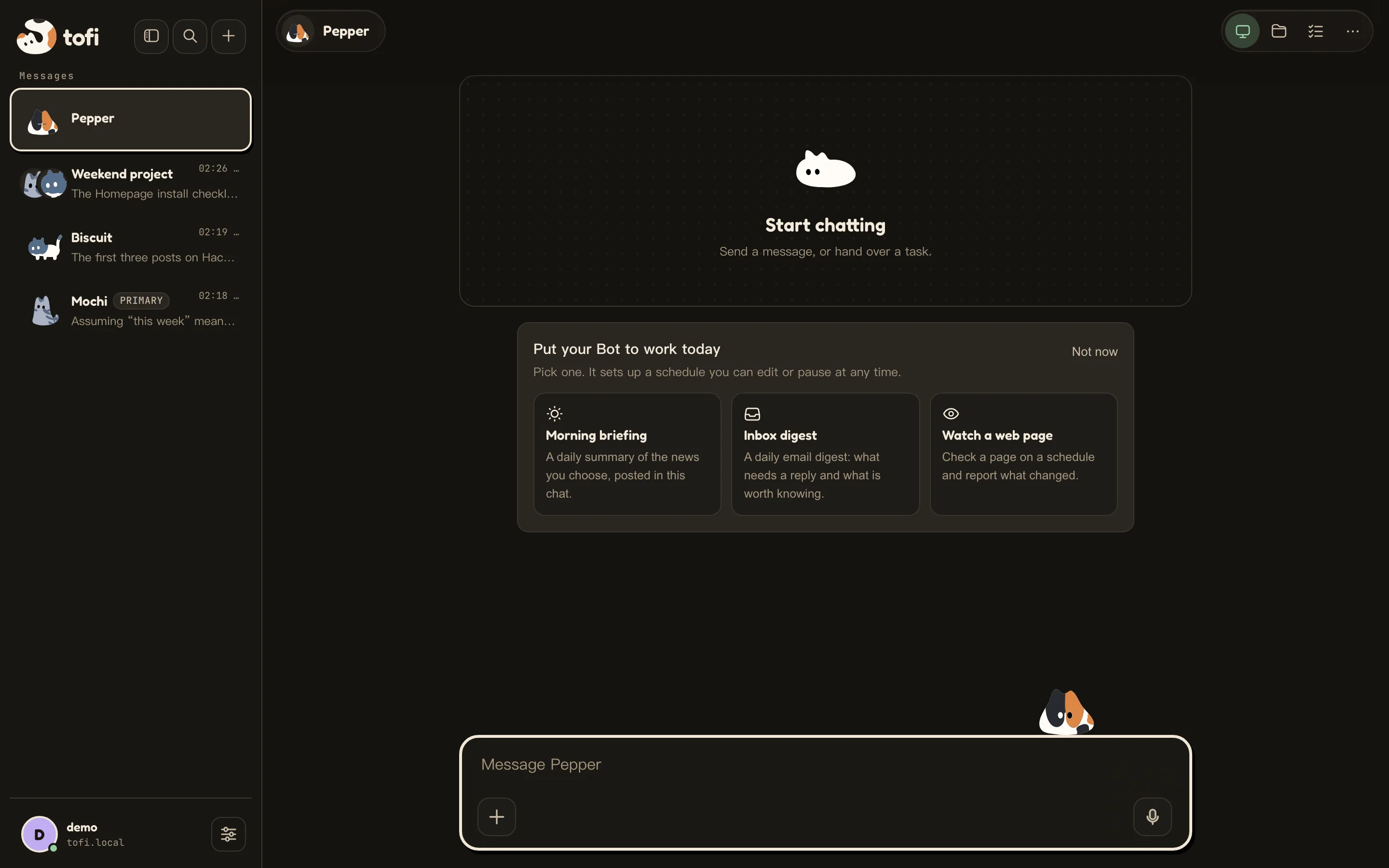
    An empty Bot chat offering three day-one templates to start from
    The Web app on a phone: a question to a Bot and its answer with sources

    On your phone.

    The Web app works in a phone browser. Ask a Bot from anywhere and read the answer, sources included.

    OPTIONAL BOT COMPUTER

    A Bot computer the whole crew can drive.

    An optional Bot computer for each account (today a built-in virtual machine), with a desktop, Chrome and a terminal. The Bots in that account share it. Watch them work live, or take the wheel yourself.

    Chrome, terminal and files in an isolated virtual machine per account
    Watch live, or take over any time
    Choose where credentials are stored and which tools may use them

    Needs KVM on the host. Add it later with sudo tofi computer add kvm.

    A Bot browsing the web on its Bot computer, with the live view in the corner of the chat
    Biscuit reads Hacker News in its Bot computer · live view, top right

    INSTALL

    One command.Your server.

    Tofi runs on a Linux server you control. The Bot computer is optional: a host without KVM gets the server and the web app, and you can add a Bot computer later.

    your-server — bash
    curl -fsSL https://raw.githubusercontent.com/JackZhao98/tofibot/main/install.sh | sudo bash

    Or: Docker Compose (no Bot computer, no KVM).

    1. 01

      Run the command

      On your Linux server. It installs Docker if needed, pulls pinned images and starts Tofi.

    2. 02

      Open the URL

      The installer prints the web addresses and a one-time setup key. Enter the key to create the first admin.

    3. 03

      Connect a model

      Sign in with ChatGPT, add an OpenAI or Claude API key, or connect Ollama or another OpenAI-compatible server.

    TOFI is free to self-host. The server is Apache-2.0. The web app is PolyForm Shield: use it, change it and run it for yourself, but do not sell a competing product built from it.

    PRICING

    Free to self-host.

    The server is Apache-2.0. The web app is PolyForm Shield. You pay your own model provider.

    USE IT FROM
    Web
    Mac app · Windows planned
    ✓Your model, your bill. Sign in with ChatGPT, add an OpenAI or Claude API key, or connect Ollama or another OpenAI-compatible server. Bots follow a global model or pick their own.
    ✓The server runs the agent loop. The Web app and the Mac app connect to it. A Windows client is planned.
    ✓Optional: add a Bot computer per account (a built-in virtual machine; needs KVM) with Chrome, a desktop and a terminal. Without it you get the server and the Web app.
    ✓You own the server and the storage. Model providers and the tools you connect see only what a task sends them.